
KnowledgeBases
v1.0.0 · stable · knowledgeturn a pile of PDFs into searchable knowledge bases — every hit traced to its page
about
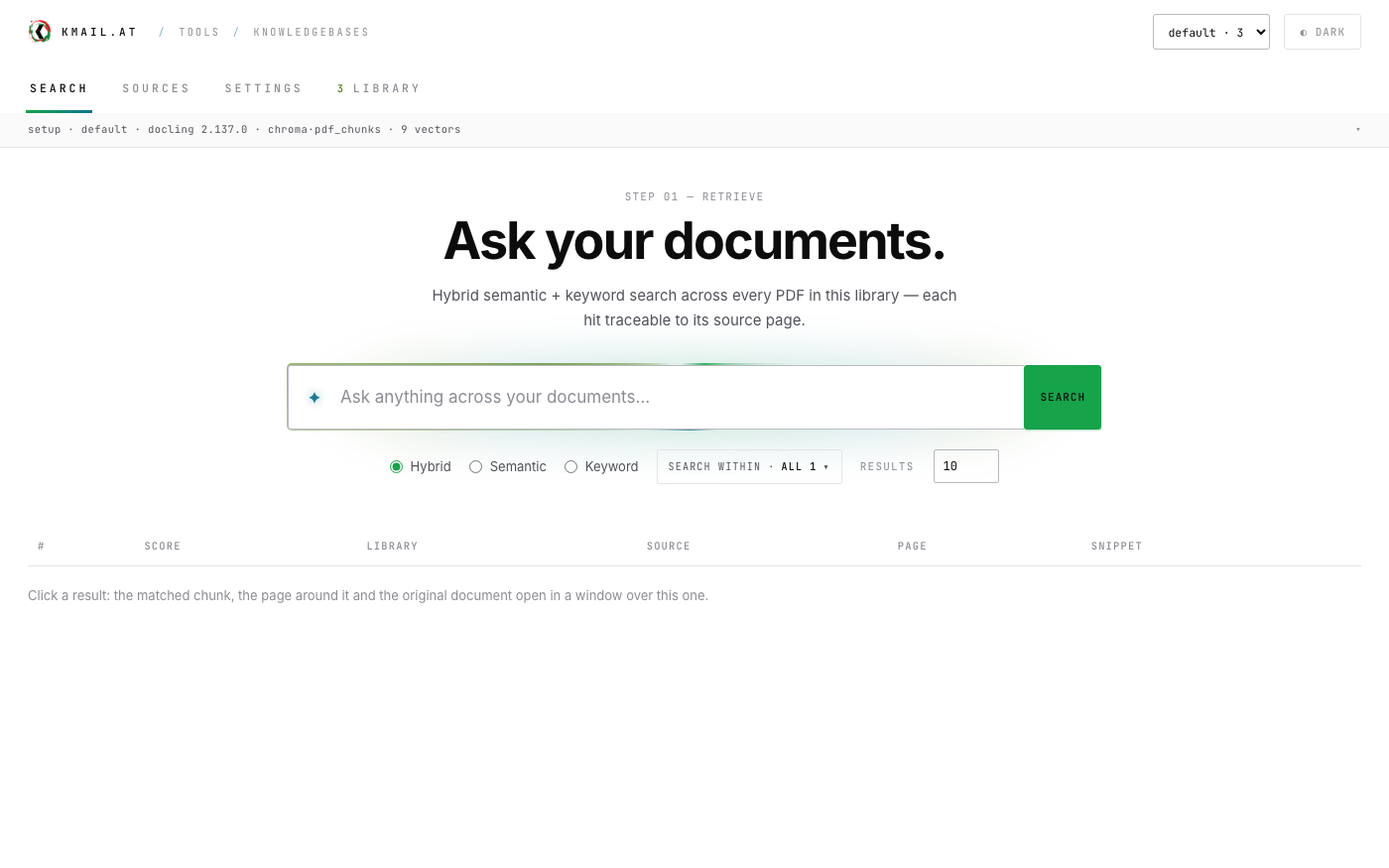
KnowledgeBases turns a pile of PDFs into something you can ask. Upload files or connect a folder, and every document is extracted page by page, split into overlapping chunks and stored twice: as text in a SQLite knowledge base with a full-text index, and as an embedding in a pluggable vector store. It runs from source with one command, or as a Docker Compose stack — the app with Ollama beside it and the stores you choose behind profiles.
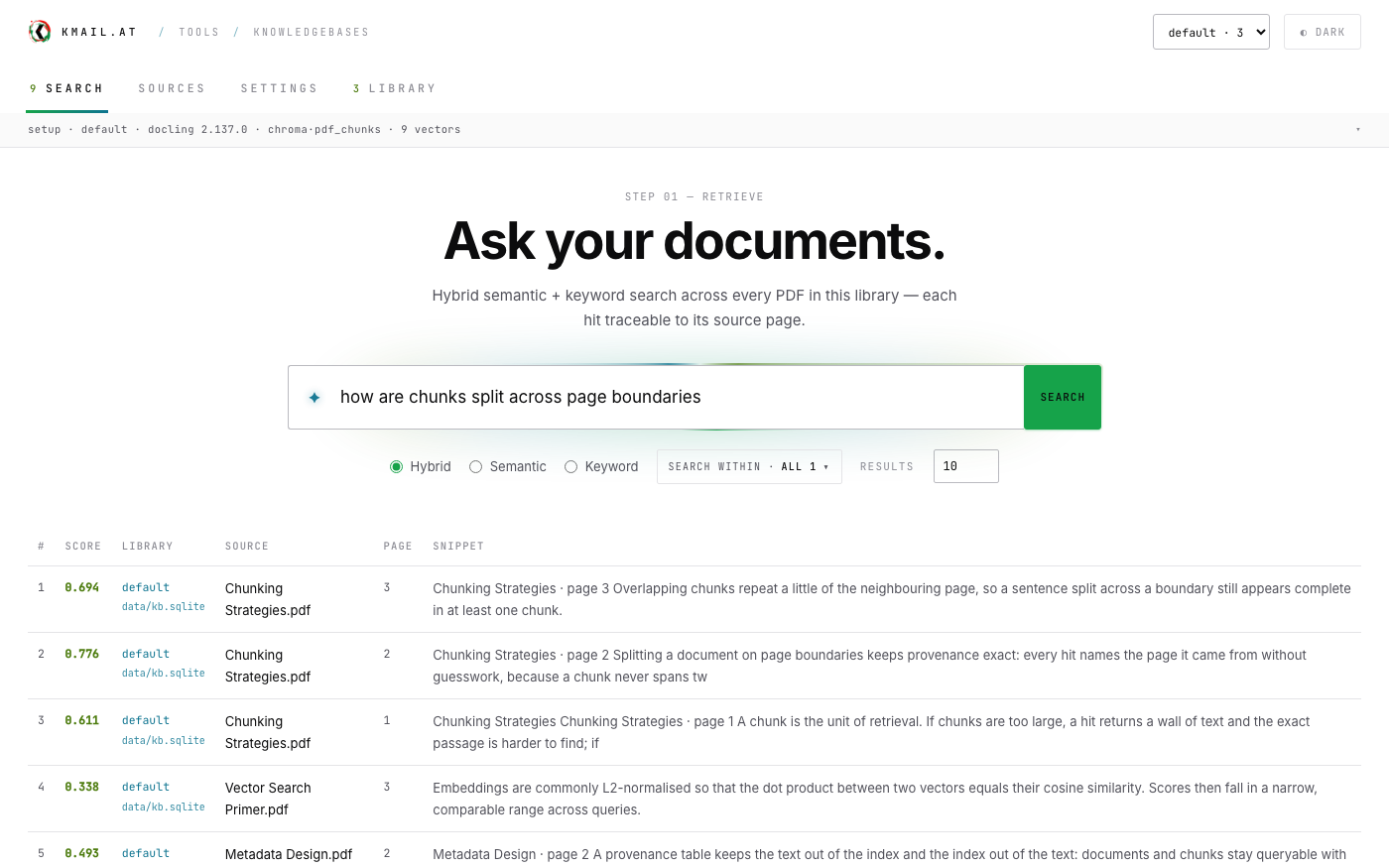
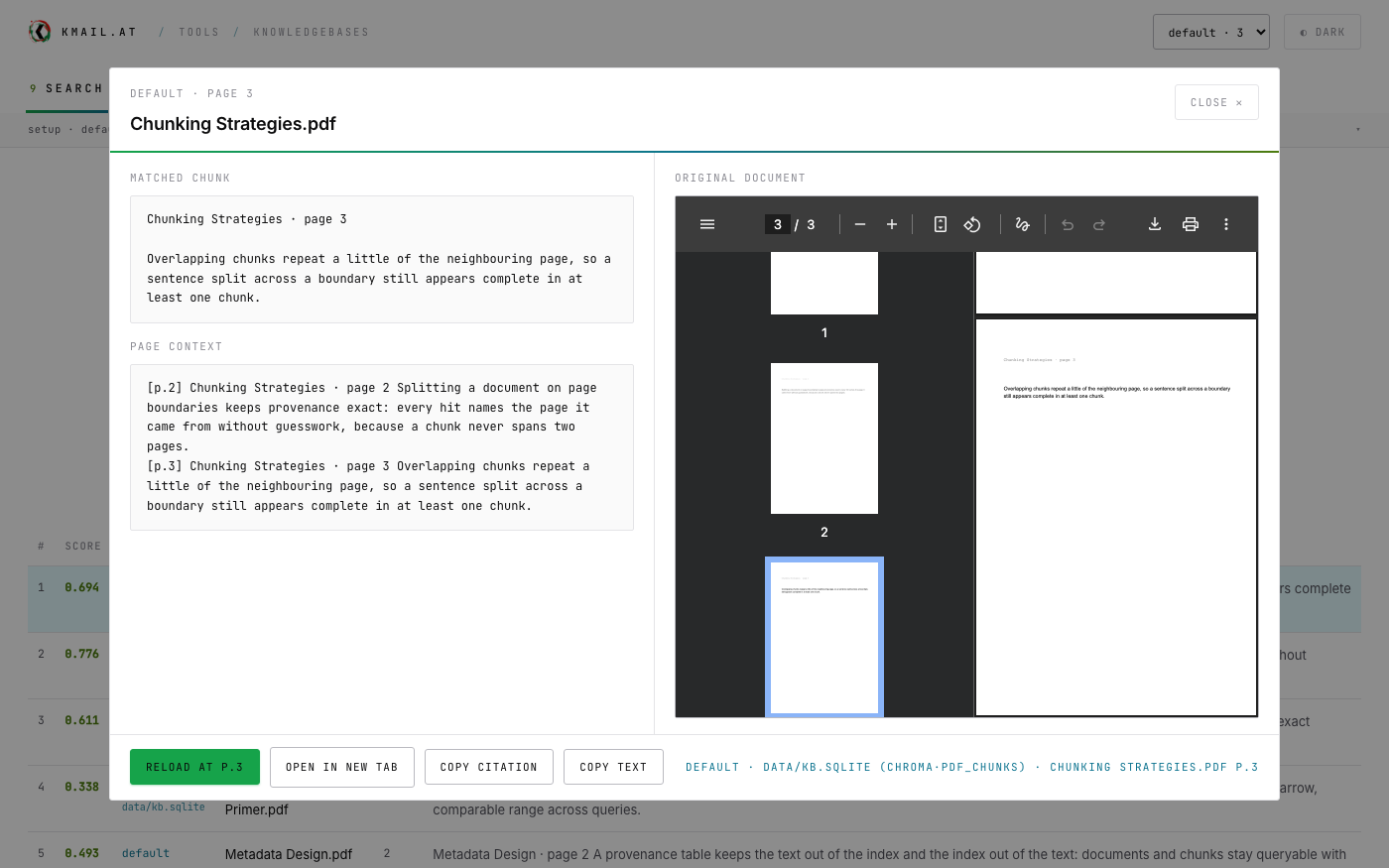
Search is hybrid: semantic hits from the vector store are fused with keyword hits from BM25 full-text through reciprocal-rank fusion, so a query works by meaning and by exact term. Every hit carries its provenance — document, page and character offsets — and opening one shows the matched chunk, the context around it and the original PDF at the found page, in one window.
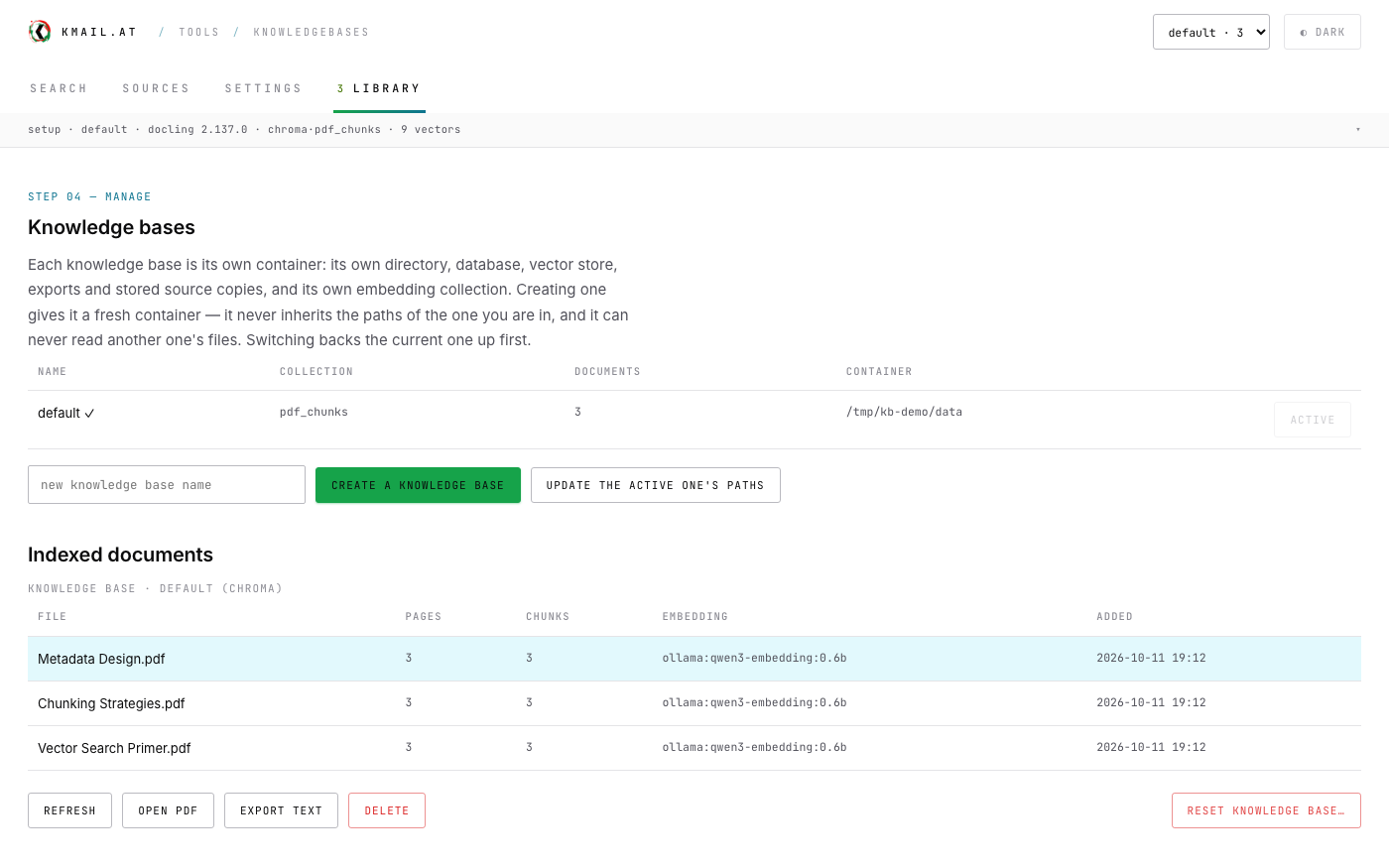
Knowledge bases are kept apart: each library is its own container with its own database, vector collection and source copies, and only the active one is open for writing — the rest is opened read-only, even for cross-library search. Extraction defaults to Docling with PyMuPDF as the reported fallback; embeddings fall back in order Ollama, local model, deterministic hash, so the tool works with no network at all.
what it does
- Page-exact retrieval
- Chunks are cut on page boundaries, so a hit names the page it came from and opens the original PDF at that page.
- Hybrid search
- Semantic and keyword retrieval fused by reciprocal rank — by meaning, by exact term, or both at once.
- Pluggable vector stores
- Chroma built in; sqlite, hnswlib, qdrant, pgvector and hosted services install from the page. The store is a setting, not a dependency.
- A stack, with profiles
- docker compose brings up the app and Ollama and pulls the embedding model once; Docling as a service and a dozen vector stores sit behind profiles, so nothing you did not ask for ever starts.
- Libraries, not one pile
- Each library is its own knowledge base with its own SQLite file, vector collection and source copies; others open read-only for search.
- Source connectors
- Local files and folders, plus saved connections to cloud drives via rclone's ~70 providers, SMB shares and more — re-scannable from Sources.
- Honest ingest
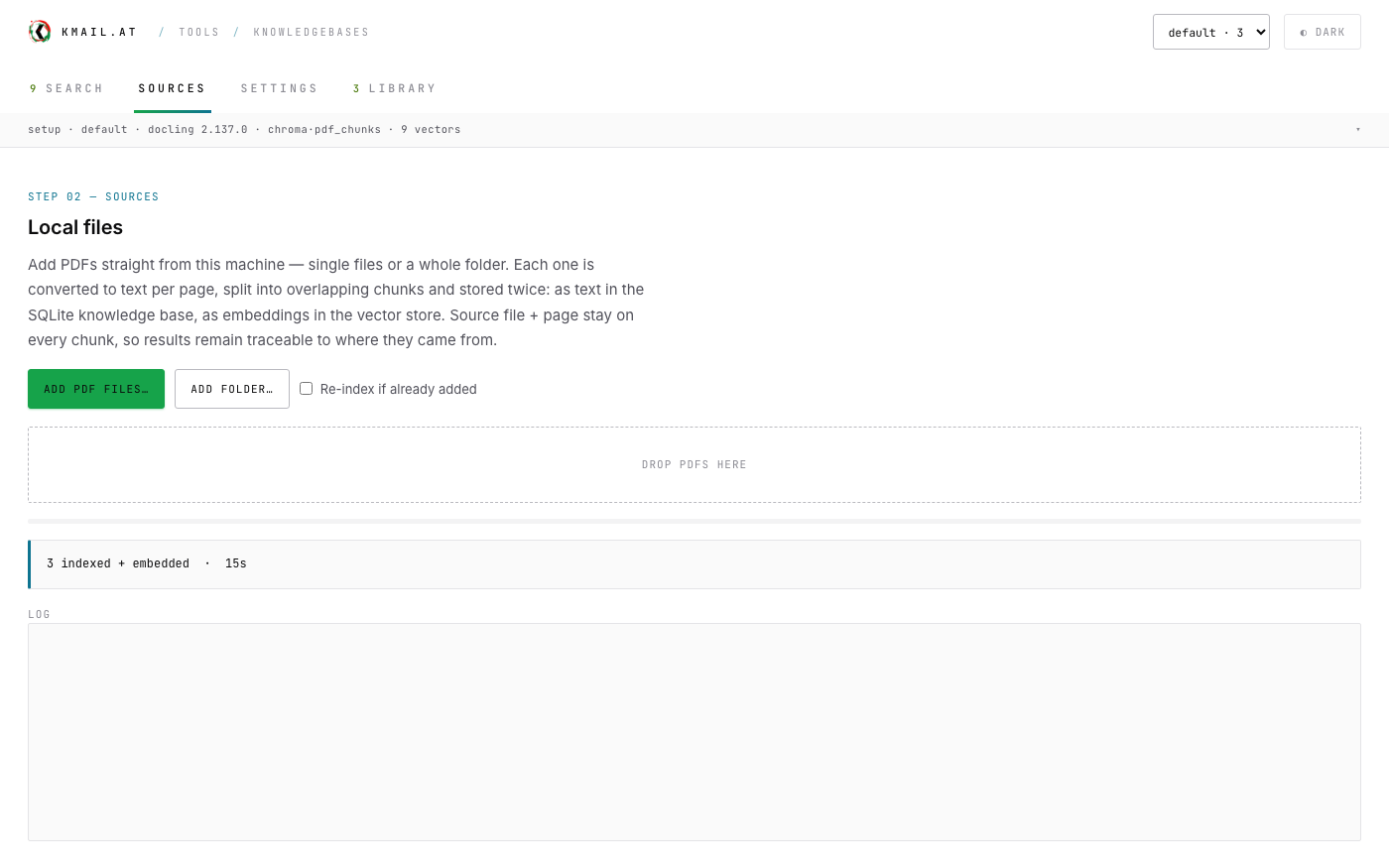
- Every file's outcome is logged — indexed + embedded, already present, nothing to extract, failed — with counts and elapsed time in the header.
- Docling by default
- Layout- and table-aware extraction with OCR for scans; PyMuPDF is the page-accurate fallback, reported in the log while it stands in.
- Works offline
- Embeddings fall back in order Ollama → local model → deterministic hash; with no backend at all, search degrades to keyword and keeps working.
run your own
One image, several targets
docker build -t knowledgebases .                      # slim — embedded stores only (~1.0 GB)
docker build --target clients -t knowledgebases .     # + every self-hosted vector client
docker build --target docling -t knowledgebases .     # + in-process Docling (heavy)
docker run -d --name knowledgebases -p 8765:8765 -v knowledgebases-data:/data knowledgebases
python:3.11-slim plus the app, served by uvicorn on 8765. The knowledge base — SQLite database, vector store, settings and stored source copies — lives in the /data volume (PDFKB_DATA_DIR=/data), so replacing the image never touches your documents. `--build-arg VECTOR_CLIENTS="qdrant-client"` bakes exactly the clients you name, nothing more.
install
Docker Compose — the whole stack
git clone https://github.com/mokmail/pdfcomp && cd pdfcomp
./bin/kb up                       # the app on :8765 + Ollama, embedding model pulled once
./bin/kb up qdrant docling        # …or with a vector store and extraction as services
Everything but the app and Ollama sits behind a profile, so nothing you did not ask for ever starts: Docling as its own service, or any of qdrant, opensearch, elasticsearch, weaviate, pgvector, redis, milvus, typesense and mongodb beside it. `./bin/kb variants` lists what you can ask for, `./bin/kb show` prints the exact docker command without running it, and the compose files underneath are plain and readable. Volumes keep the knowledge bases — `docker compose down -v` deletes them.
From source
git clone https://github.com/mokmail/pdfcomp && cd pdfcomp
python3 -m pip install -r requirements.txt
python3 serve.py --port 8765
Python 3.10+ with PyMuPDF and Chroma as the required core. Docling is the default extractor once installed (`pip install docling`); before that PyMuPDF stands in and the ingest log says so.
synopsis
python3 -m pdfkb.cli ingest FILE.pdf [--force]
python3 -m pdfkb.cli search "your question" -k 10 --mode hybrid
python3 -m pdfkb.cli list | show <chunk_id> | export <doc_id> | delete <doc_id> | reset --yes
changelog
- v1.0.0initial release: page-exact chunking, hybrid vector + FTS search, libraries with read-only cross-search, Docling default extraction, pluggable vector stores, folder + cloud source connectors, total deletes